.png)
Designing for Privacy
Date
Role
.png)
The Challenge
In an age where personal data is constantly collected and shared, many users still struggle to understand how their information is used or how to protect it effectively. We wanted to answer:
How can we design tools that make privacy protection more accessible, transparent, and empowering for everyday users?
To ground our understanding, our team conducted 40 user interviews with participants varying in age, technical background, and comfort with privacy tools. We explored topics such as:
🔏How users define “privacy” online 🔍What motivates them to protect personal data 🚧Barriers to privacy protection
Affinity Diagram
To identify recurring themes and patterns in users’ privacy and online data concerns, our group created an affinity diagram based on the debriefing notes from our 40 user interviews. We used a three-color labeling system—blue, pink, and green labels—to organize our findings and move from raw data to overarching themes.
🗣️ User Interviews → Blue Labels (User Quotes) → Pink Labels (Themes) → Green Labels (Insights)
We put ourselves in the users' shoes and created labels based on the most common themes mentioned during the interviews. Many users expressed a desire for greater transparency and control over how their data is collected and used, while also recognizing the convenience of data storage.
Examples of blue labels included:
“I want to control what data is used or gathered.”
“I don’t remember ever allowing data to be saved—this concerns me.”
“I know my sensitive information is saved, but I like how convenient it is to have ready.”
These quotes revealed a common tension between privacy and convenience, which became a central theme in our research.
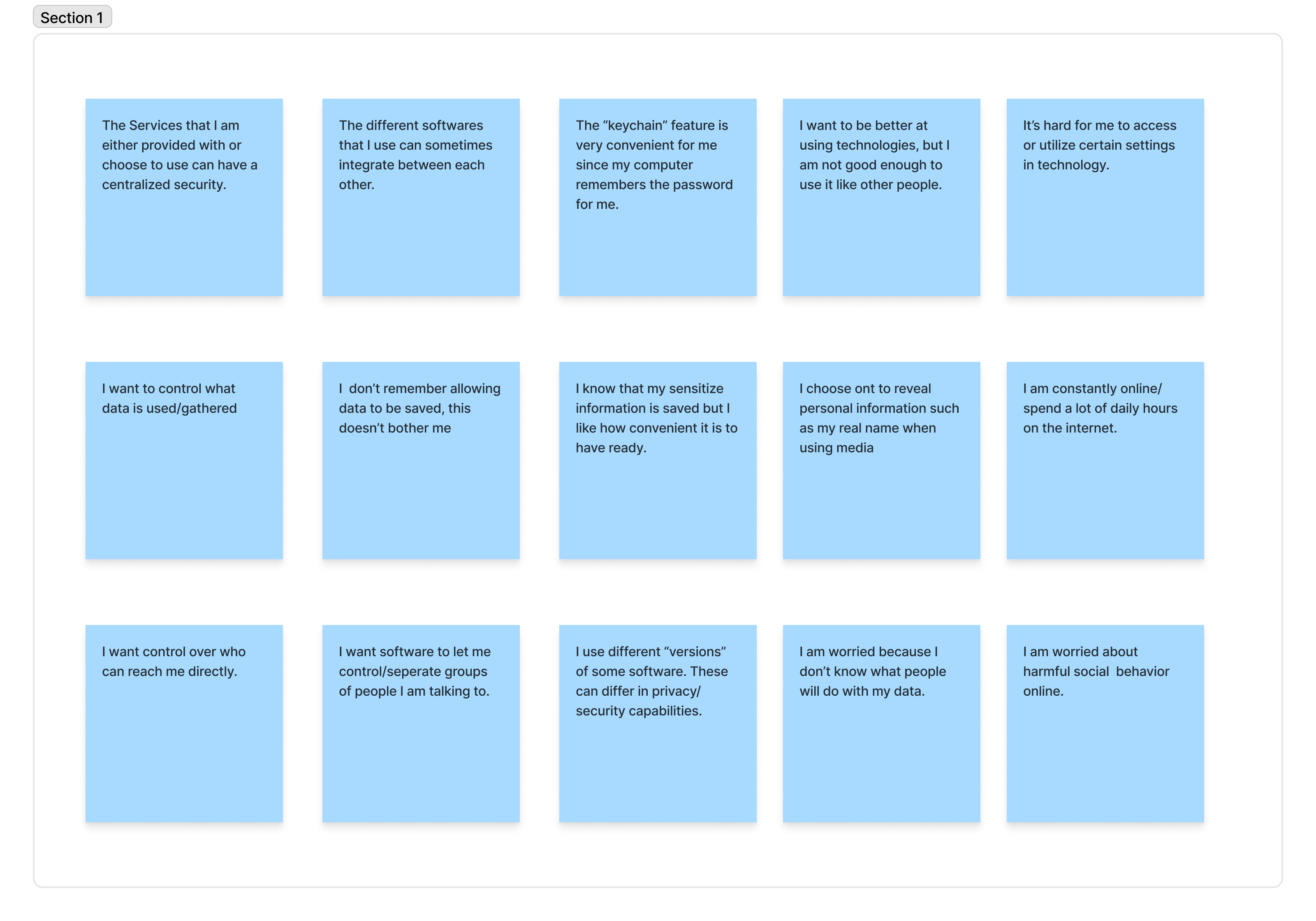
Next, we organized the blue labels into thematic clusters, focusing on how users expect technology to help them protect their data. These groupings showed that users often evaluate privacy based on their trust in software and the context in which data is shared.
Examples of pink labels included:
“I value software that lets me control who interacts with me.”
“Different software I use varies in levels of privacy and information sharing—whether or not I’m okay with it.”
This stage clarified that privacy isn’t one-size-fits-all—users’ comfort levels depend on how transparent a platform is about its practices.
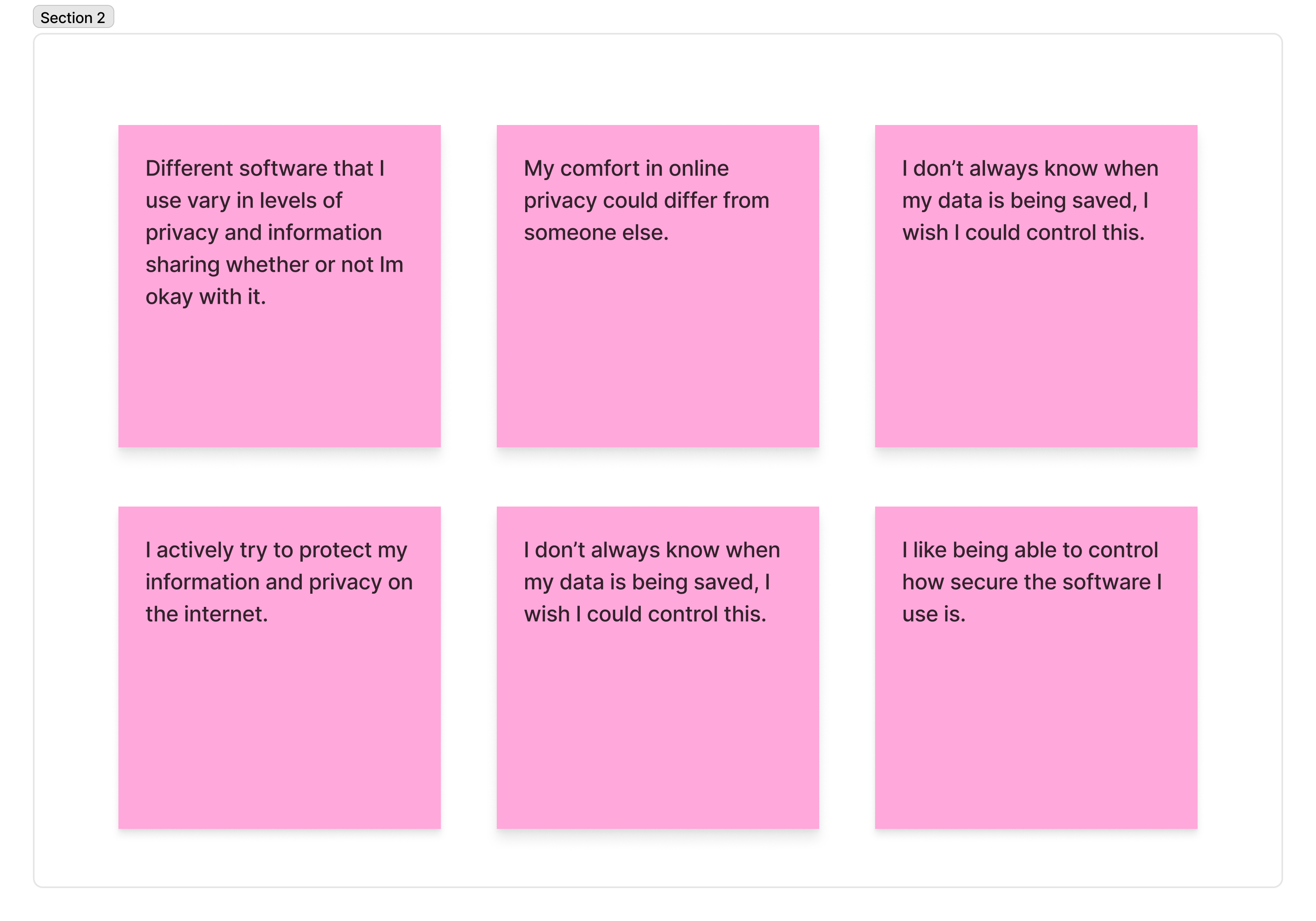
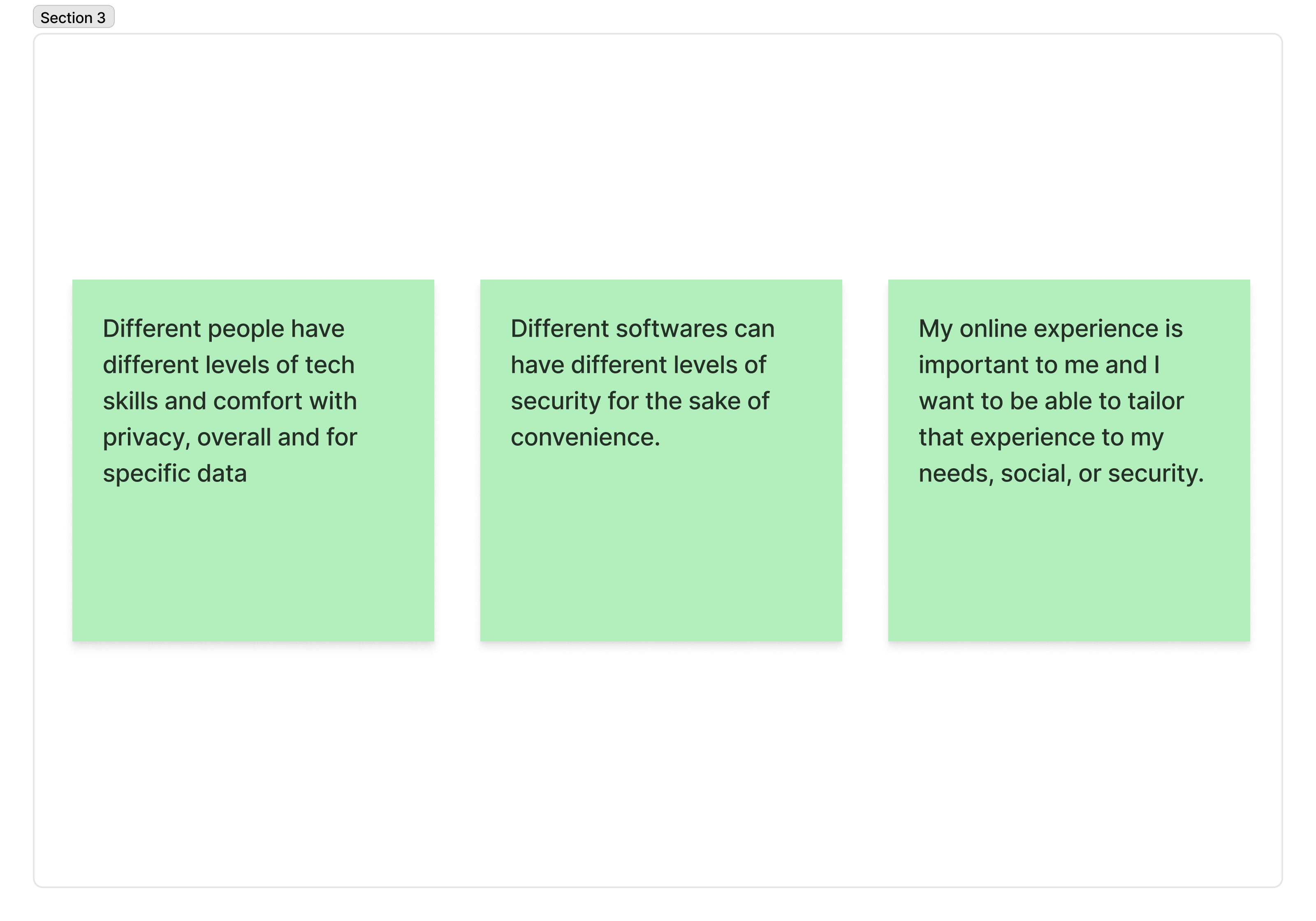
Finally, we condensed our pink labels into three overarching insights that represented users’ core privacy values and challenges:
Personalization & Control: “My online experience is important to me, and I want to tailor it to my social or security needs.”
Security vs. Convenience: “Different software can have different levels of security for the sake of convenience.”
Tech Comfort & Awareness: “Different people have different levels of tech skills and comfort with privacy.”
These categories summarized the wide range of attitudes users hold toward privacy and informed our next steps in persona development and storyboarding.
%20(1)-images-2.jpg)
%20(1)-images-1.jpg)
%20(1)-images-0.jpg)
Through this process, we organized user concerns around privacy, preferences, and security, moving from scattered quotes to cohesive insights. Initially, we struggled with over-categorizing and creating too many detailed labels, but refining our blue labels clarified the themes and relationships between them. Ultimately, we learned that users balance control, convenience, and trust when managing their online data.
Our three green labels captured these tensions and laid the foundation for our next step—creating a persona and storyboard to envision how users might interact with a privacy protection website.
Persona
Based on our interviews and insights from the affinity diagram, I developed a persona representing an older businessman with limited experience navigating technology. This persona helped our team understand the specific needs and challenges of users seeking to protect their online privacy and business data.
🎯Goals / Motivation:
- Users want to enhance their online presence and gain insights into website visitors while protecting their products and data.
🔒Challenges:
- Limited experience with technology can hinder navigation and learning.
- Users may feel overwhelmed by complex security settings and privacy tools.
🔑Tasks:
- Identify practical actions and tools that make online privacy and security easier to manage.
- Access clear guidance to protect sensitive information without extensive technical knowledge.
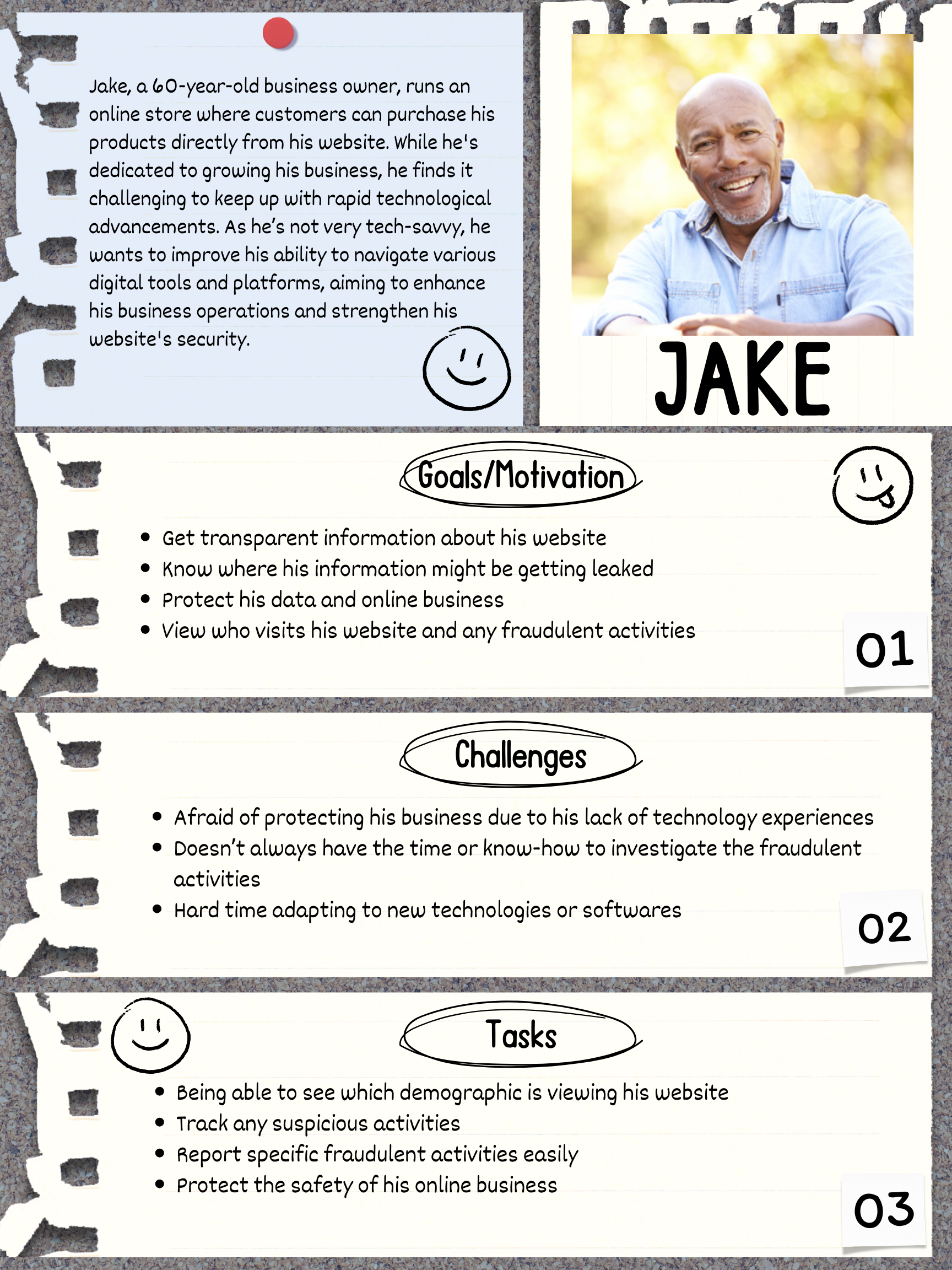
This persona directly relates to the “Different people have different levels of tech skills and comfort with privacy” from our green labels.
1. The scenario and storyboard focus on an older businessman who wants to bring his passion online but is concerned about safeguarding his data.
2. Using the persona, we identified priorities and concerns of users with limited tech experience, particularly business owners, to guide privacy-focused design decisions.
Usage scenario
Scenario:
The user is a 60-year-old man who is somewhat familiar with technology but lacks confidence in using it. As the owner of a small online business, he wants transparent information about potential fraud or scammers to protect his products.
1. He sits down at his laptop and navigates to the website summary.
2. He checks the “Trends” section to see which demographics are viewing his website.
3. He can view yearly trends, monthly comparisons, and audience breakdowns.
4. A notice icon alerts him that a high number of visitors came from an unknown city outside of his usual audience region.
5. Hovering over the alert, he sees that an expensive product is receiving unusual traffic patterns with minimal engagement.
6. He clicks on the product link to investigate further, noticing irregular checkout behavior.
7. Concerned about potential fraud, he quickly reports the suspicious activity through the website.
storyboard
Based on the usage scenario, I created a six-panel storyboard to illustrate how the persona would navigate the privacy-protection website. The storyboard emphasizes user goals, behaviors, and decision-making, showing how the website supports monitoring and safeguarding online business activity.


reflection
Through this project, I learned the value of collaboration and diverse perspectives. Working with teammates from different majors challenged me to think beyond my own assumptions and consider privacy from multiple angles. The thoughts and feedback from my peers helped shape a clearer vision for designing accessible tools that empower users to protect their privacy and security online. Listening to the experiences of 40 participants deepened my understanding of how users with limited technological experience approach privacy. It highlighted the need for intuitive solutions that make safeguarding personal information both practical and approachable. I also developed further appreciation for designing with empathy and understanding that even small usability improvements can make a big difference in how users feel about privacy and control online.